Step 2. vjem
vjem is a conda-based Python virtual environment that contains all the libraries required to run PyJEM. Conda virtual environments provide isolated Python and library environments for each project, preventing dependency conflicts. This makes it possible to safely use different versions of packages side by side, allowing you to separate and manage development and experimental work independently.
Forum provides various python versions of vjem. You can download the YML file and generate the environment in the online environment .
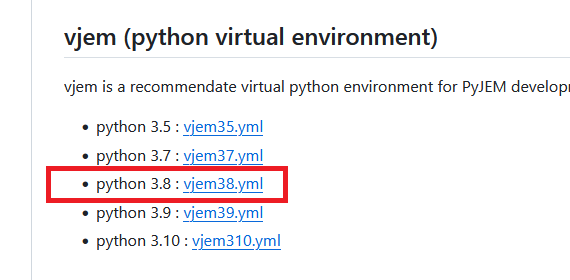
PyJEM Setup Guide: Installing vjem38 Environment
PyJEM requires a dedicated Python environment. We recommend using vjem, a Conda-based virtual environment tailored for PyJEM.
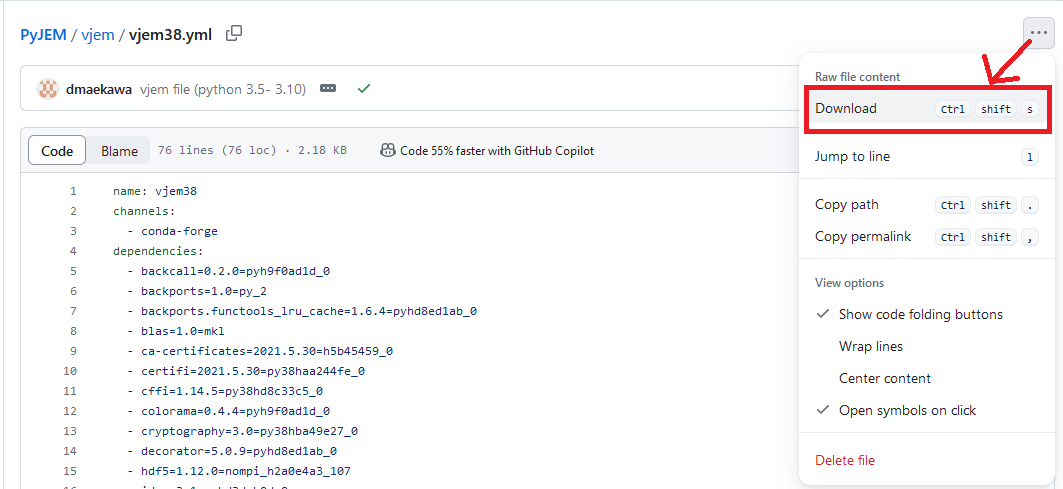
Step 1: Download the YAML File
Visit the PyJEM GitHub Releases and download the appropriate YAML file for your Python version.
Recommended: Python 3.8 → vjem38.yml
Step 2: Create the Conda Environment
Open your terminal and navigate to the folder containing the downloaded .yml file. Then run:
conda env create -f vjem_yml
※ vjem_yml is yml file’s absolute path that has downloaded.
Step 3. Verify the Environment
You the vjem has been created.
> conda info --envs
If there is no error in activate, the environment has been successfully built.